Free Countdown Widget for iPhone
Your next big day, always in sight. Free Home Screen, Lock Screen and StandBy countdown widgets.
Get free countdown widgetsDownload Outside, create your countdown, then add a widget. See the steps
Start with what’s free
Countdowns and widgets
Create, share and join countdowns. Add Home Screen, Lock Screen and StandBy widgets. Start on your own without an account; sign in to a free account to share.
Optional Outside Pro
Custom reminders, calendar sync, camera-roll wallpapers and premium styles are paid extras. Plans and trial eligibility are shown before purchase.
Make room for the people you look forward to
Trips with friends, a reunion with your partner, or a birthday with family. Start with a date that means something to you.

Our weekend away
24days
Friends
One date for the whole group to look forward to.
Plan a trip countdown
Concert night
12days
Friends
Keep the next night out in sight between plans.
Plan a concert countdown
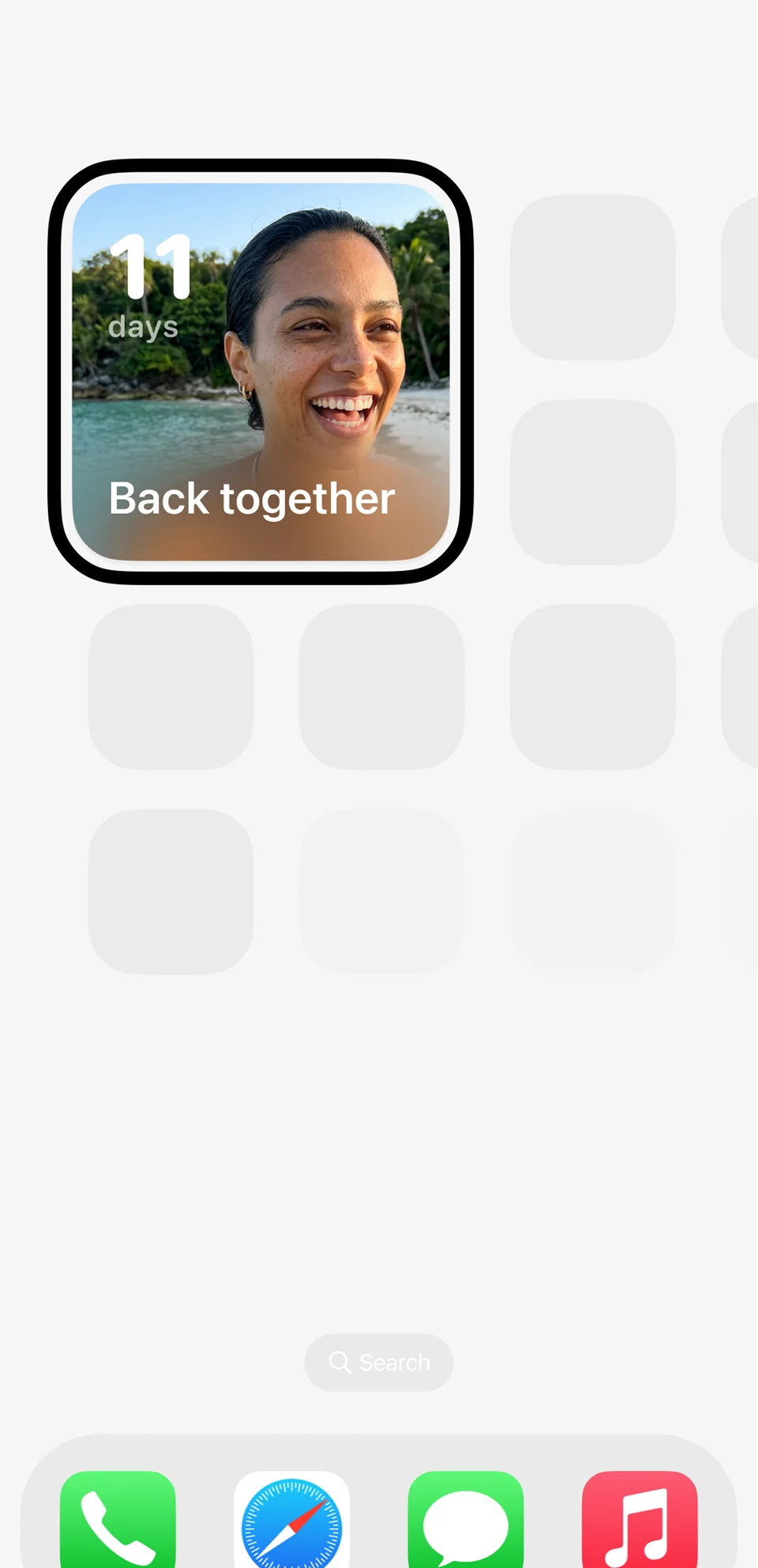
Back together
11days
Couples
Count down to the next visit, wherever you are.
Count down to a reunion
Our anniversary
38days
Partners
Give your next milestone a place on your phone.
Plan an anniversary countdown
Christmas together
46days
Family
Let everyone count down to time together.
Find your next holiday
Birthday weekend
7days
Family
A little daily reminder of the celebration ahead.
Plan a birthday countdownIllustrative countdowns and layouts; these are not app screenshots.
Create, share and join countdowns for free. Each person can add a Home Screen, Lock Screen or StandBy widget. Sharing needs a free account. Personal camera-roll photos, custom reminders, calendar sync and premium styles are optional Outside Pro extras.
Everything you need in a countdown widget
Start with free countdowns and widgets. Add Outside Pro if you want custom reminders, calendar sync or more ways to personalize them.
Home Screen Widgets
Choose from small, medium, and large widgets to display your countdowns right on your home screen.
Lock Screen Widgets
See how many days remain at a glance without even unlocking your phone.
StandBy Widgets
See your countdown in StandBy when your iPhone is charging on its side.
Custom Photos
Choose a background for your countdown. Camera-roll wallpapers are included with Outside Pro.
Shared Countdowns
Share countdowns with friends and family so everyone stays excited together.
Reminders & Alerts
Set custom reminders with Outside Pro for the dates you want to remember.
Calendar Sync
Connect your calendar with Outside Pro to keep your plans in one place.
Photo Calendar
Add photos to your shared countdown with Outside Pro and remember the days leading up to it.
Fully Customizable
Choose your widget layout. Premium countdown styles are available with Outside Pro.
Widgets for every part of your iPhone
How to add a Home Screen countdown widget
A 28-second illustrated guide using existing app imagery. Silent, with the steps written below.
- Create a countdown in Outside for your trip, birthday or next time together.
- Touch and hold an empty area of the Home Screen. Tap Edit, then Add Widget.
- Find Outside, choose a widget size, tap Add Widget, then Done.
- Touch and hold the widget and select Edit Widget to choose your countdown.
Countdowns, sharing and widgets are free. Sharing needs a free account. Camera-roll photos and custom reminders require Outside Pro.
Add a countdown widget in 3 steps
Download Outside
Get the free Outside app from the App Store. Start without signing up; create a free account later to save across devices and share.
Create a countdown
Pick your event and set the date. Camera-roll photos are optional with Outside Pro.
Add the widget
Touch and hold your Home Screen, tap Edit, then Add Widget. Search for Outside and pick a size. Use Edit Widget to choose your countdown.
Popular countdowns to get started
Frequently Asked Questions
Is the countdown widget free?
Yes. The free plan includes creating, sharing and joining countdowns, plus Home Screen, Lock Screen and StandBy widgets. Outside Pro is optional and adds custom reminders, calendar sync, camera-roll wallpapers and premium styles, among other extras.
Can I have multiple countdown widgets on my iPhone?
Absolutely. You can add as many countdown widgets as you like to your home screen and lock screen. Each widget can display a different countdown, so you can track multiple events at once.
Does the countdown widget work on the lock screen?
Yes. Outside supports lock screen widgets. You can add a countdown widget to your lock screen to see the days remaining without unlocking your phone.
Can I add a photo to my countdown widget?
Yes. Countdown widgets can show a photo background. Using your own camera-roll photos is an Outside Pro feature; you can start with the free countdown and widget options.
How do I add a countdown widget to my home screen?
Create a countdown in Outside. Touch and hold an empty area of your Home Screen, tap Edit, then Add Widget. Search for Outside, choose a size and tap Add Widget. If needed, touch and hold the widget and choose Edit Widget to select your countdown.
Start counting down today
Keep your next trip, birthday or big day in sight. Free countdowns and widgets.
Download Outside Free